
How Many Cameras for Home Security Do You Need?
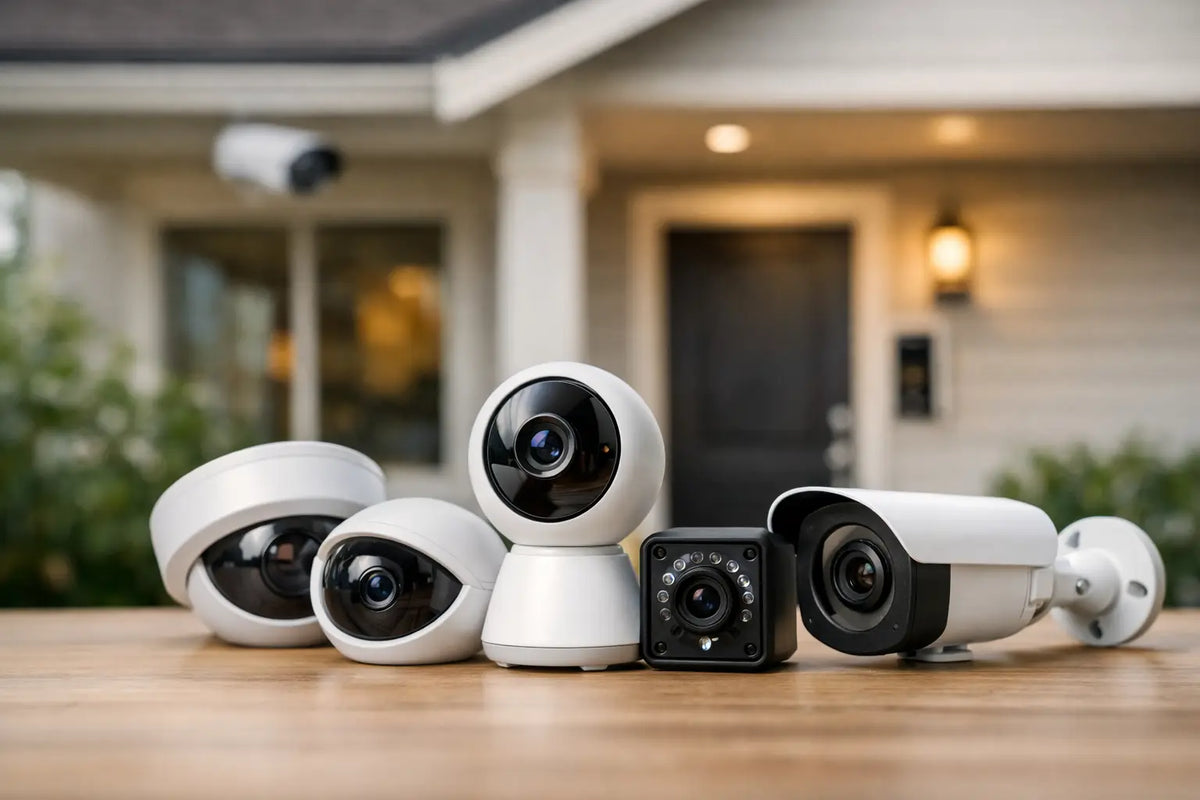
A camera pointed at the front door can help, but it will not tell you who opened the side gate, pulled into the driveway, or crossed the backyard. The real answer to how many cameras for home security you need comes down to your home's access points, layout, daily routines, and the areas where a clear view would actually help.
For many homes, three to five well-placed cameras provide better protection than a large system with poor angles. Start with the places people, packages, vehicles, and pets move through most. Then add coverage only where it closes a meaningful blind spot.
How Many Cameras for Home Security Is Typical?
A small apartment or condo may need one or two cameras. A typical single-family home often needs three to five. Larger homes, corner lots, detached garages, pools, long driveways, or multiple exterior doors can reasonably require six to eight or more.
Those numbers are starting points, not a rule. A compact home with a front door, rear patio door, and driveway may be covered effectively with three outdoor cameras. A larger property may have the same number of doors but need more cameras because the yard is deeper, the garage sits apart from the house, or a side passage cannot be seen from another location.
The goal is not to record every square foot of the property. It is to capture useful footage of entry, approach, and activity areas with enough detail to identify what happened.
Start With Entry Points, Not Camera Count
Before choosing a camera package, walk around your property during the day and after dark. Mark each exterior door, garage door, gate, driveway, and ground-level window that is hidden from normal view. Consider where deliveries are left and where family members, contractors, or guests usually arrive.
For most households, priority coverage looks like this:
- The front door for visitors, deliveries, and package activity
- The driveway and garage for vehicles and approach traffic
- The back door or patio for a common secondary entry
- A side yard, gate, or rear yard that cannot be seen from the street
Do not assume one ultra-wide camera can replace every other camera. Wide views are useful for awareness, but details such as faces, license plates, or package labels can become less clear at distance. Coverage should overlap at important approaches without creating unnecessary duplication.
A Practical Camera Plan by Home Type
Apartment, condo, or townhouse
One to two cameras may be enough when exterior areas are managed by a building or homeowners association. A doorbell camera at a private entrance and an indoor camera facing the main entry can cover arrivals and activity inside the home.
Check lease terms, association rules, and local privacy requirements before aiming a camera at shared hallways, neighboring doors, or common parking spaces. Cameras should protect your space without recording more of someone else's private life than necessary.
Small single-family home
Three cameras are a solid baseline: front door, driveway, and back door. If the driveway camera has a clear view of a side gate, it may eliminate the need for a fourth unit. If the side yard is concealed or regularly used for equipment storage, a dedicated camera can be worthwhile.
Average suburban home
Four to five cameras usually give a balanced setup. Place cameras at the front door, driveway, rear entry, and side or backyard. Add an indoor camera in a main living area, entry hall, or room where pets stay if indoor awareness is useful for your household.
This setup works well for families who are often away for work, traveling for weekends, or coming home after evening activities. It keeps the areas that matter most visible without turning the property into a wall of cameras.
Larger home or property with outbuildings
Plan for six to eight cameras, and sometimes more. Detached garages, sheds, workshops, boat storage, RV pads, pool areas, long driveways, and separate gates each create their own coverage needs.
For a detached structure, use at least one camera facing the entrance and another covering the approach if the building is valuable or isolated. A single camera inside a shed can show what occurred, but an exterior view is more likely to capture how someone approached it.
Outdoor Cameras Usually Come First
If you have a limited budget, put the first cameras outside. Exterior footage can show activity before someone reaches a door or window, which gives you more context than an indoor-only system.
Choose outdoor models rated for rain, heat, cold, and dust conditions common in your area. Night vision matters, but do not judge it only by a specification. Consider whether the camera will face a streetlight, porch light, reflective siding, or vehicle headlights. Poor placement can create glare that reduces nighttime detail.
Mount outdoor cameras high enough to discourage tampering, usually around 8 to 10 feet, but not so high that faces become hard to see. Aim them toward approach paths rather than straight down from the roofline. A camera angled across a driveway often captures better details than one pointed directly at the front of a car.
When Indoor Cameras Make Sense
Indoor cameras are optional for many households, but they can add useful coverage. They work well near a main entry, in a living room, facing a pet area, or near valuable gear stored indoors.
For active households, an indoor camera can be particularly useful when camping equipment, bikes, fishing gear, fitness equipment, or electronics are stored in a garage-adjacent room or finished basement. It can also help you check on pets after school pickups, workdays, or travel days.
Privacy should guide placement. Avoid bedrooms, bathrooms, and other private spaces. Many homeowners prefer indoor cameras with physical privacy shutters or app-based schedules so recording can be disabled while everyone is home.
Avoid These Common Coverage Gaps
The most frequent mistake is covering only the front door. Front-door footage is useful, but many homes are more vulnerable at the garage, rear entry, side gate, or driveway.
Another mistake is placing cameras too far from the action. A camera may show a person in the yard, yet fail to provide enough detail for identification. Before finalizing placement, test the view from the camera's intended height and check both daytime and nighttime video.
Power and connectivity can create gaps too. Battery cameras are flexible and useful where wiring is difficult, but they need periodic charging and can record shorter clips when motion is detected. Wired cameras provide continuous power and may be better for busy driveways or entrances with frequent motion. Wireless cameras still rely on a stable Wi-Fi signal, so test signal strength at each mounting location before committing.
Build the System Around How You Live
The right number of cameras changes with your routine. A homeowner who works from home and parks in a garage may prioritize doors and package delivery areas. A family with kids, pets, a backyard play space, and regular travel may benefit from rear-yard and indoor coverage. Someone with a kayak rack, trailer, bike storage, or workshop may need focused views of those higher-value areas.
Think about alerts, too. A camera that sends constant notifications because it faces a busy road can become background noise. Adjust motion zones to exclude sidewalks, streets, moving trees, and areas that do not matter. A smaller alert zone aimed at a gate or porch is often more useful than a broad view that catches every passing car.
You also do not need to buy every camera at once. Begin with the front entry, driveway, and most-used secondary entry. Live with the system for a few weeks, review the footage, and identify where you still lack visibility. That approach keeps your setup practical, scalable, and focused on protection that fits your home.
Shop this guide


Compare all 6 security cameras & systems →
Free shipping on all orders within the United States.