
Home Security Camera Resolution Guide: 720p vs 1080p vs 4K
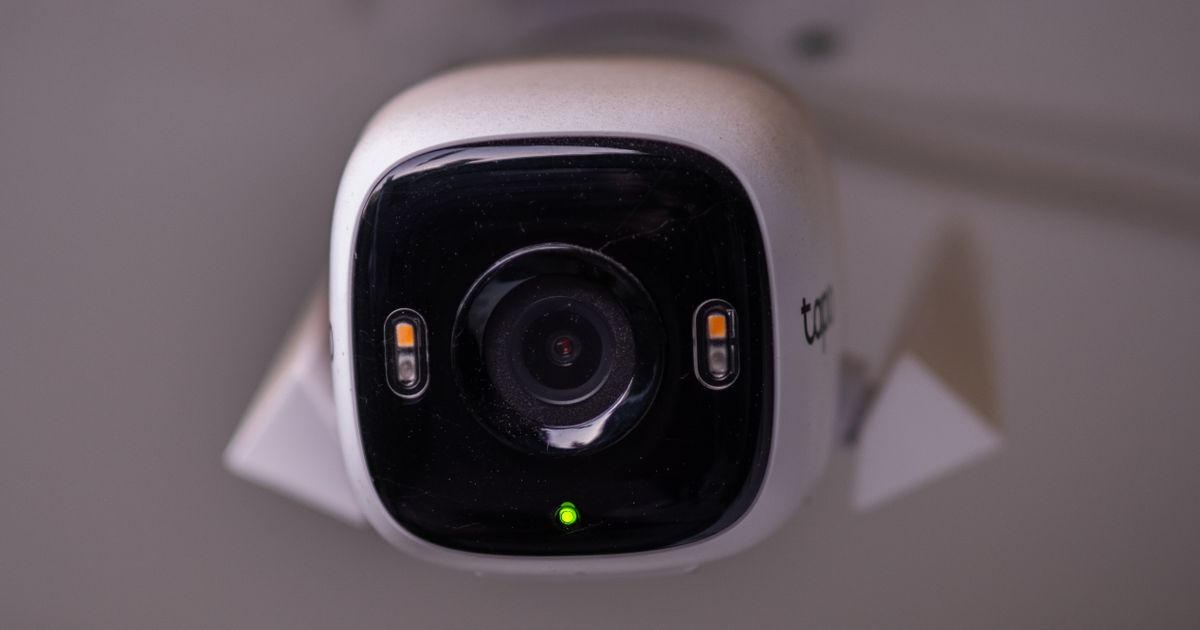
When you're shopping for home security cameras, resolution is one of those specs that can feel overwhelming. But here's the truth: you don't need the highest resolution for every single camera on your property. Your home security camera resolution guide starts with understanding what each option actually does for you and where it makes the most sense to spend your money.
In this article
What Is Camera Resolution and Why It Matters
Resolution is basically how detailed your video footage will be. It's measured in pixels, and more pixels mean sharper, clearer images where you can zoom in and still see faces, license plates, or other important details.
The most common resolutions you'll find are 720p (1,280 by 720 pixels), 1080p, and 4K. Think of resolution like the difference between looking at something through a foggy window versus crystal clear glass. The better the resolution, the more you can actually see.
The Three Main Resolution Options
Let's break down what you're actually choosing between.
720p: Budget-Friendly Basics
720p is the entry-level option. It's affordable and uses less storage, which matters if you're running a whole-home system. You'll get decent overall footage, but when you zoom in digitally or try to identify specific details, things get blurry fast.
720p works fine if you just want to know whether someone was at your door or in your yard. It's not great if you need to identify a face or read text.
1080p: The Sweet Spot
1080p is where most people land, and for good reason. It gives you sharp, usable detail without breaking the bank or maxing out your storage. You can zoom in and still see faces clearly. Most modern cameras default to 1080p, and Adventure Cove Store carries a range of options at this resolution for home security setups.
If you had to pick one resolution for your whole system, 1080p is the solid, practical choice.
4K: Maximum Detail
4K cameras capture way more detail. You can zoom way in on footage and still see facial features, clothing patterns, and small objects clearly. They're ideal if you need to identify specific people or capture high-detail footage for customer entrances or important areas.
The trade-off? 4K footage uses a lot more storage space, which means bigger hard drives or cloud storage costs. It also adds up faster if you're recording 24/7.
Matching Resolution to Your Specific Needs
The best resolution for your home depends on what you actually need to monitor.
Front Door and Entryways
Your front door needs good detail because you want to see who's knocking and identify delivery drivers or unexpected visitors. 1080p is solid here, but if you want to catch facial features clearly, 4K is worth considering.
Most front doors work best with a field of view around 105 degrees, which helps you capture the person standing at the door plus the space around them.
Yards and Larger Open Areas
Yards are bigger, so you need a wider field of view, typically 140 degrees or more. Here's where resolution gets tricky: you're covering more ground, so people and objects will appear smaller in the frame. That's where higher resolution helps. With 1080p, you might see someone in your yard but struggle to identify them. With 4K, you can zoom in and actually see who it is.
If your yard is large and you want to monitor the whole thing with one camera, consider 4K or look at 360-degree cameras, which can cover multiple angles and eliminate blind spots without needing three or four separate cameras.
Side Yards and Corners
These areas are usually fine with 1080p. You're mainly checking that nobody's lurking around, not trying to identify specific people. 1080p gives you enough clarity to see movement and general activity.
Garages and Tight Spaces
1080p works well here too. You're typically close to the action, so you don't need as many pixels to see detail. The space is confined, so you're not missing much.
Resolution and Storage: The Trade-Off
Here's something people don't always think about: resolution directly affects how much storage you need. 4K footage uses roughly four times as much storage as 1080p when recorded over the same time period.
If you're recording 24/7 across multiple cameras, that storage difference adds up fast. You might need bigger hard drives, cloud storage subscriptions, or more frequent data management.
1080p is often the practical middle ground because it gives you solid detail without forcing you to overhaul your storage setup.
Digital Zoom and the Resolution Advantage
Higher resolution becomes really valuable when you need to zoom in on footage after the fact. If you have 1080p footage and you zoom in, the image can get grainy or pixelated pretty quickly. 4K footage lets you zoom in much further while still maintaining clarity.
This matters if you're trying to read a license plate, identify a face, or see what someone was carrying. Resolution gives you more flexibility with digital zoom later.
360-Degree Cameras: A Different Approach
If you're covering a large area and want to avoid blind spots, 360-degree cameras are worth considering. They can replace three or four standard cameras, which means fewer devices to power, maintain, and monitor. You get coverage in every direction from one camera.
These cameras capture everything around them in one shot, and you can pan and zoom through the footage afterward. It's a smart solution if you're struggling to cover your whole property.
What to Do Right Now

Start by walking around your property and identifying your priority areas. Where do you most want to catch detail? Your front door is almost always first priority, then move outward.
For your front door and main entry points, 1080p is a solid baseline. For larger areas where you need to identify people at a distance, step up to 4K. For low-detail areas like side yards or garages, 1080p works fine.
When you're ready to put together your system, Adventure Cove Store has options across all these resolution levels so you can build exactly what you need without overspending on cameras that don't require high resolution.
Frequently Asked Questions
Do I really need 4K for my home security system?
Not necessarily. 4K is great if you want maximum detail and don't mind the extra storage, but 1080p covers most home security needs well. You need 4K when you specifically want to identify faces or read text from a distance, or when you're monitoring a very large area and need to zoom in on distant activity.
What resolution should I use if I'm on a tight budget?
1080p is the best value. It's affordable, uses reasonable storage, and gives you clear enough footage for most security purposes. You can always add higher-resolution cameras to key spots later as your budget allows.
Does higher resolution mean better night vision or low-light performance?
Not directly. Resolution and low-light performance are separate specs. A 720p camera with good infrared or night vision might perform better in darkness than a 4K camera with poor sensors. Check both resolution and low-light specs when choosing.
How does field of view connect to resolution?
Wider fields of view (like 140 degrees) show more area but make people and objects appear smaller in the frame. That's why wider areas benefit from higher resolution. A narrow field of view (around 105 degrees) focuses on a smaller area, so lower resolution can work fine. Match resolution to your coverage needs at that location.