
Home Security Camera Systems Explained: A 2026 Guide
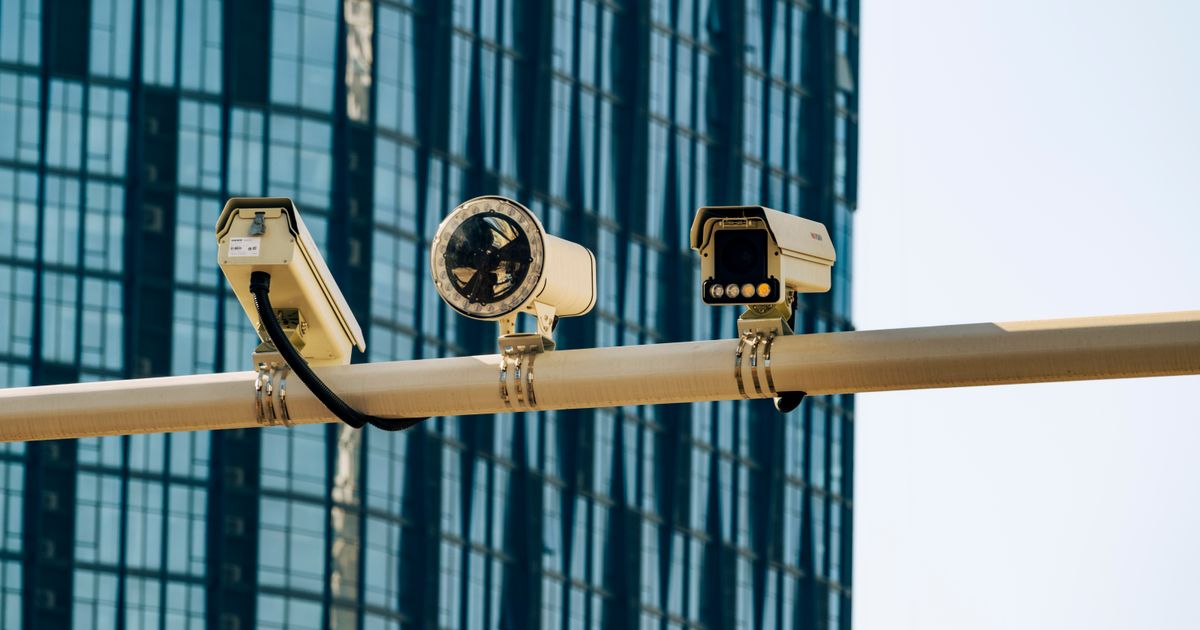

Home security camera systems are basically your eyes when you're away from home. They record video, send you alerts on your phone, and let you watch live feeds from anywhere. Modern systems can range from simple single-camera setups to multi-camera networks covering your entire property, and the good news is you don't need to be tech-savvy to set one up.
In this article
- What Are Home Security Camera Systems?
- The Main Types of Home Security Cameras
- Key Features That Matter
- DIY vs. Professional Installation
- How to Choose the Right System for Your Home
- Special Features Worth Knowing About
- Common Mistakes People Make
- What to Look for When Comparing Systems
- Frequently Asked Questions
What Are Home Security Camera Systems?
A home security camera system is a network of cameras that monitor your property and send footage to you via an app or cloud storage. Most systems today are wireless or hardwired, completely app-enabled, and work 24/7 to catch anything suspicious around your home.
The core idea is simple: cameras detect motion or activity, record what they see, and notify you instantly. Some systems even let you talk through the camera in real-time. When you're camping, traveling, or just running errands, you've got full visibility of what's happening at home. That peace of mind is huge, and it's one reason Adventure Cove Store stocks multiple camera options for homeowners who want security without the complexity.
The Main Types of Home Security Cameras
Not all security cameras are the same. Here's what you'll run into when shopping:
Doorbell Cameras
These replace your existing doorbell and show you exactly who's at your front door. You get a notification the moment someone rings or approaches. Ring is the household name here, but plenty of brands offer solid options.
Wired Outdoor Cameras
These connect directly to your home's power and internet. They're reliable, don't need battery replacements, and work great for wide-angle coverage of your driveway or backyard.
Wireless Cameras
Battery-powered cameras you can place anywhere without running wires. Perfect for renters or anyone who doesn't want to drill holes. Trade-off: you'll swap batteries occasionally.
Indoor Cameras
Smaller, discreet cameras for inside your home. Great for monitoring entryways, living rooms, or bedrooms while you're away. Many homeowners use these alongside outdoor cameras.
Key Features That Matter
Resolution
Modern systems offer HD all the way up to 4K. HD (1080p) is solid for most homes and catches faces and license plates clearly. 4K gives you sharper detail but requires more storage and bandwidth.
Motion Detection
This is the smart part. Cameras detect movement and send you an instant phone alert. Some advanced systems can tell the difference between a person, a pet, or a car so you're not spammed with notifications every time a leaf blows by.
Night Vision
Infrared sensors let cameras see in complete darkness. Essential if your property has low lighting or you want 24/7 monitoring.
Two-Way Audio
Talk directly through your camera to someone on your porch, ask a delivery person to leave a package in a safe spot, or check on a family member. It's way more useful than you'd think.
Cloud Storage and Local Backup
Some systems save footage to the cloud (accessible from anywhere, but requires a subscription). Others use local storage like an SD card or DVR. Many modern systems do both.
DIY vs. Professional Installation

This is where your setup preferences matter. SimpliSafe is known as the top choice for DIY installation because their system comes with easy-to-follow steps and mounts that require zero tools. You literally just plug things in, download the app, and you're monitoring within minutes.
Professional installation is another route. ADT and other major providers send a technician to your home, wire everything up, integrate it with your alarm system, and handle all the technical backend. This costs more upfront but takes all the thinking out of your hands.
Honestly, most modern systems split the difference. You can self-install and still call pros later if you add cameras or want integration with other smart home devices. Before deciding, think about whether you're comfortable with basic setup or if you'd rather have someone handle it. Adventure Cove Store carries both simple plug-and-play systems and more robust setups, so you've got options regardless of your comfort level.
How to Choose the Right System for Your Home
Step 1: Map Your Property
Walk around your home and identify blind spots. Where do packages get left? Where's your front door? Backyard? Driveway? This tells you how many cameras you need and where they should go.
Step 2: Decide on Resolution Needs
If you care about identifying faces clearly or reading license plates, bump up to HD or 4K. For general motion detection and presence, standard HD is plenty.
Step 3: Choose Your Installation Style
DIY if you like the hands-on approach. Professional if you want it done right and don't want to think about it. Some people do DIY initially and upgrade to professional later.
Step 4: Consider Your Budget
A basic single-camera doorbell system starts around $100-200. A full multi-camera setup with professional monitoring can run $500-2000+. Mid-range systems that balance quality and cost are usually $300-800.
Step 5: Check Brand Reputation
SimpliSafe, Ring, and ADT dominate for good reasons. They have solid track records, responsive customer support, and active communities where you can find answers. An industry expert with 25+ years of installation experience validates the importance of sticking with established brands because their systems get regular updates and their infrastructure is reliable.
When you're ready to shop, Adventure Cove Store stocks several top-rated systems. Browse what's available, read reviews, and pick based on your specific needs rather than just the lowest price.
Special Features Worth Knowing About
Intruder Intervention
SimpliSafe offers a feature where trained professionals can actually speak through your cameras and contact emergency services on your behalf if they detect an intruder. It's proactive security, not just recording.
Person Detection
Advanced AI in some newer systems identifies whether motion is a person, animal, or vehicle. This cuts down on false alerts and keeps you focused on real threats.
Smart Integration
Many cameras now work with Alexa, Google Home, and other smart home systems. You can ask your speaker to show you the front door camera on your TV or arm your system with voice commands.
Smartphone Alerts
Get push notifications instantly. Some systems let you customize alerts so you're only notified of people, not pets or passing cars.
Common Mistakes People Make

Don't buy a system just because it's cheap. Budget options often lack important features like two-way audio or solid motion detection. You're not saving money if you end up replacing the system in two years.
Don't assume one camera covers everything. A single camera on your front door misses your back door, driveway, and side yard. Map your property first.
Don't skip the app trial. Before you commit, test the mobile app if the store allows it. Clunky apps ruin the experience, no matter how good the camera is.
Don't ignore storage costs. Some systems charge monthly for cloud storage. Factor that into your total cost of ownership.
What to Look for When Comparing Systems
Check trusted tech reviews before purchasing. Look at customer ratings, specifically around installation ease and app stability. Read both five-star and one-star reviews to see what real people say about long-term reliability.
Compare subscription costs. Some systems offer free cloud storage for 24 hours, while others charge $10-30/month for extended storage or advanced features like person detection.
Check warranty and return policies. A good system comes with at least a 30-day return window and a 1-year warranty on hardware.
Verify compatibility with your internet setup. Most cameras need WiFi, but some work on cellular backup if your internet goes down. That's clutch if you want continuous monitoring.
Ready to upgrade your home security? Adventure Cove Store has curated selections of proven systems with customer reviews and guides to help you choose. You can compare specs, installation methods, and prices all in one place without bouncing between retailer websites.
Frequently Asked Questions
Do I need internet to use a security camera system?
Most modern systems require WiFi to send you alerts and let you view live footage remotely. Some systems offer local storage on an SD card or DVR so you can still record without internet, but you won't get phone notifications or remote access. A few premium systems include cellular backup for situations where your internet drops.
Can renters install security cameras?
Absolutely. Wireless cameras and stick-on doorbell cameras require zero installation damage to your rental. You just mount them with the included adhesive strips or brackets. Check your lease to be safe, but most landlords have no issue with non-permanent camera setups.
How much cloud storage do I actually need?
That depends on how many cameras you have and your resolution. A single 1080p camera records roughly 1-2 GB per day. Most cloud plans offer 7-30 days of rolling storage, which is plenty for reviewing incidents. If you want months of footage, you'll need a high-tier subscription or local backup.
What's the difference between 1080p, 2K, and 4K?
1080p (HD) is 1920x1080 pixels and is great for most homes. 2K is in-between and offers sharper detail. 4K is 3840x2160 pixels and gives you crystal-clear footage that's perfect for identifying faces or license plates from a distance. 4K uses more storage and bandwidth, so pick based on your actual needs, not just specs.
Shop this guide


Compare all 6 security cameras & systems →
Free shipping on all orders within the United States.